
What are Post Formats?
In WordPress, Post Format is a theme-specific feature that allows you to style a post differently based on its type of content. Think of them as a meta tag that tells your theme: “This is a quote, so display it like a quote,” or “This is a gallery, so display the images first.”
They are similar to post categories but focus on presentation rather than topic organization. Common examples include: Standard, Video, Quote, Link, Gallery, Audio i.e.
WordPress post format Guide
WordPress Post Formats help organize and display different types of content in a more engaging way. Depending on your theme, each post format can have a unique layout and styling, making it easier for visitors to identify the type of content they are viewing.
For every post format other than standard post format, the thumbnail is collected from the post content itself. For example in the case of video post format thumbnails, the theme automatically uses the first video URL found in the post content. Therefore, you need to add the video URL directly within the post content. The theme will then use that video to generate and display the thumbnail on the blog post section of the front page.
In addition, you should set a Featured Image for the post. The Featured Image is used in other areas of the theme, such as banners, featured sections, footers, and various content displays.
Not all WordPress themes support Post Formats;
Available post formats
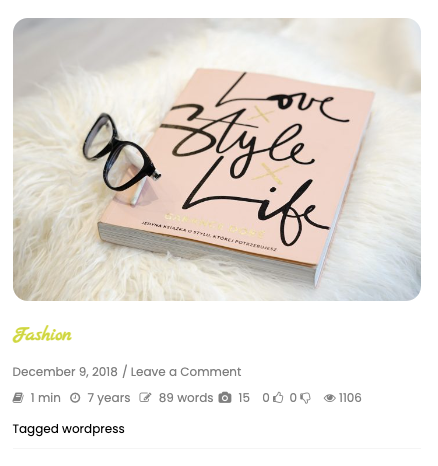
1. Standard post format
The Standard format is the default post type used for regular blog articles. It shows the featured image of the post as thumbnail.
2. Gallery post format
The Gallery format is designed for posts containing multiple images displayed as a collection or slideshow. All the images that has been placed inside the post will be displayed here.

Figure: Gallery Post Format Example
3. Video post format
The Video format is ideal for posts featuring video content from platforms such as YouTube, or self-hosted videos. For video thumbnails, the theme automatically uses the first video URL found in the post content. Therefore, you need to add the video URL directly within the post content. The theme will then use that video to generate and display the thumbnail on the blog post section of the front page. Video URL such as youtube and self-hosted such as uploaded .mp4 .
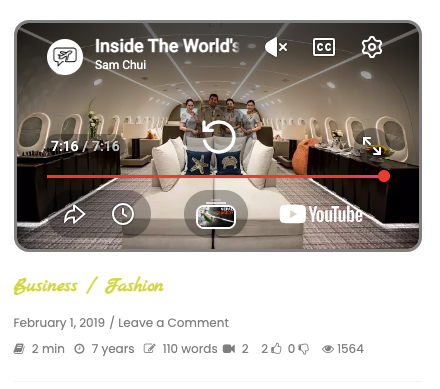
Figure : Video Post Format Example
4. Audio post format
Audio posts are used to share podcasts, music, interviews, or other sound recordings.
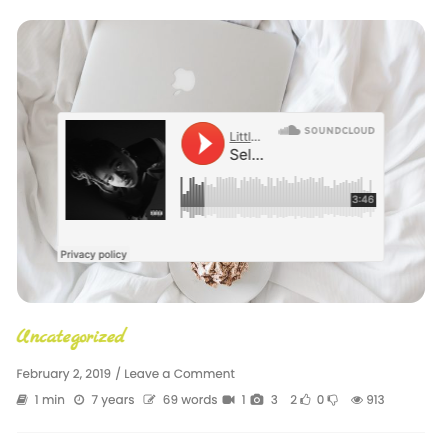
Figure : Audio Post Format Example
5. Quote post format
The Quote format highlights quotations and citations, making them visually distinct from regular posts.
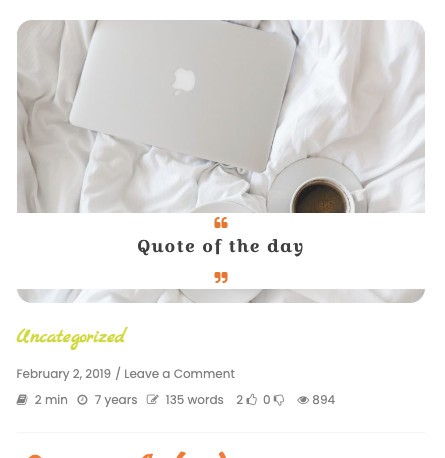
Figure : Quote Post Format Example
How to select a post format in WordPress
- Navigate to Posts → Add New in the WordPress dashboard.
- Create or edit your post content.
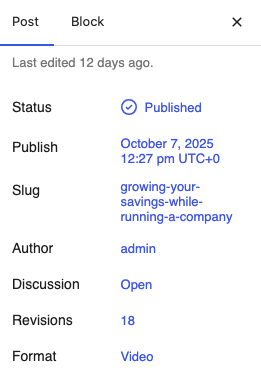
- Open the Post settings panel on the right side.
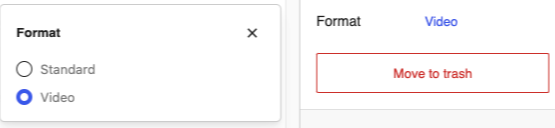
- Locate the Format section.
- Choose the desired post format.
- Publish or update the post.
Notes
- Post Formats are supported only if your WordPress theme includes support for them.
- Different themes may display post formats differently.
- If a theme does not support a particular format, the post will usually be displayed as a standard post.
Post Formats provide a simple way to distinguish different types of content and improve the presentation of your website. Whether you’re sharing videos, galleries, quotes, or regular blog articles, selecting the appropriate post format can enhance the user experience and make your content more engaging.